

Explore our features
The shopping assistant your customers use, and the dashboard your team works in.
Chatbot features
6 features
Product previews shown for illustration.
-

Find My Outfit
Occasion-led discoveryStart with an occasion, mood, or hero piece and turn it into a shoppable head-to-toe look.
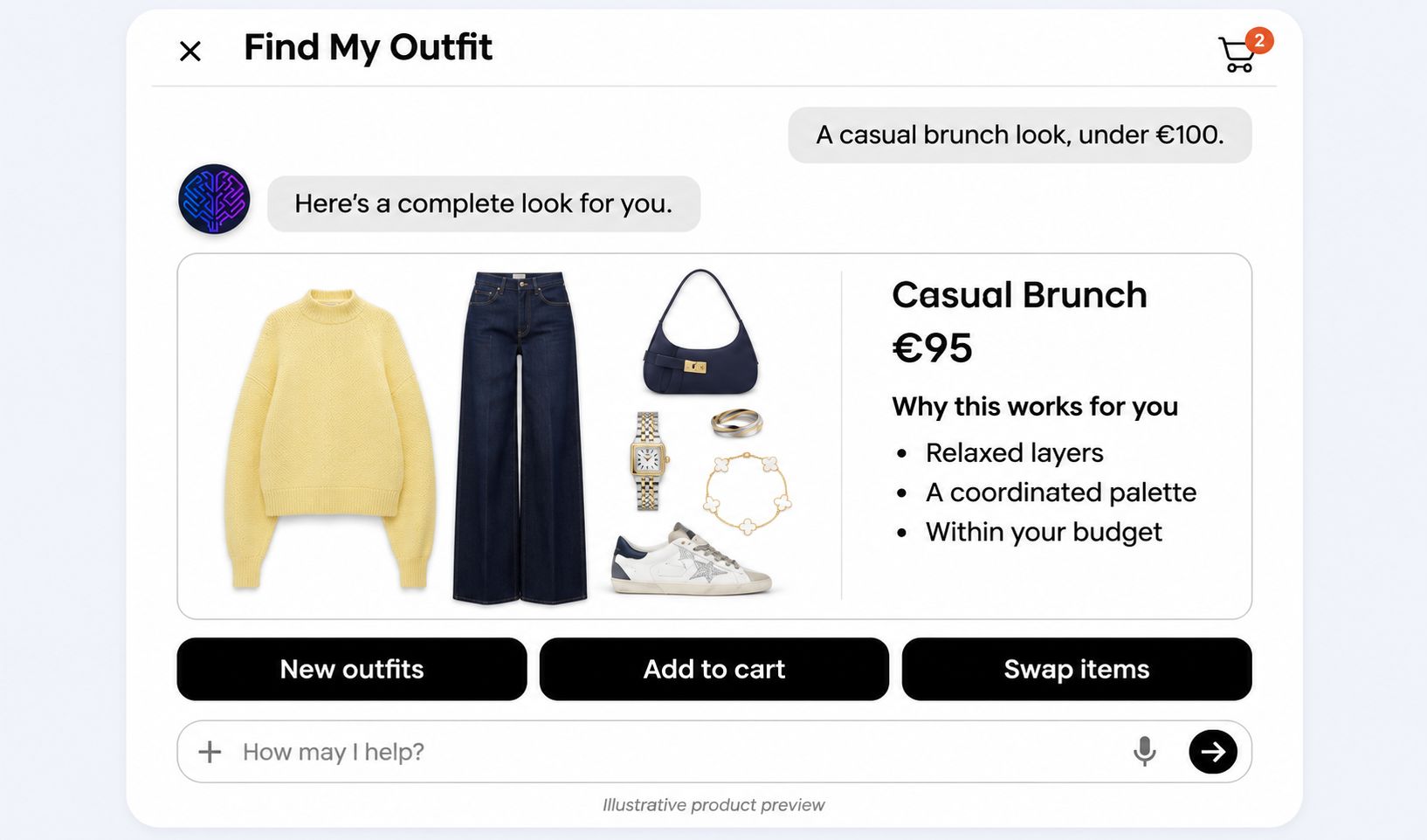
 View preview: Find My Outfit
-

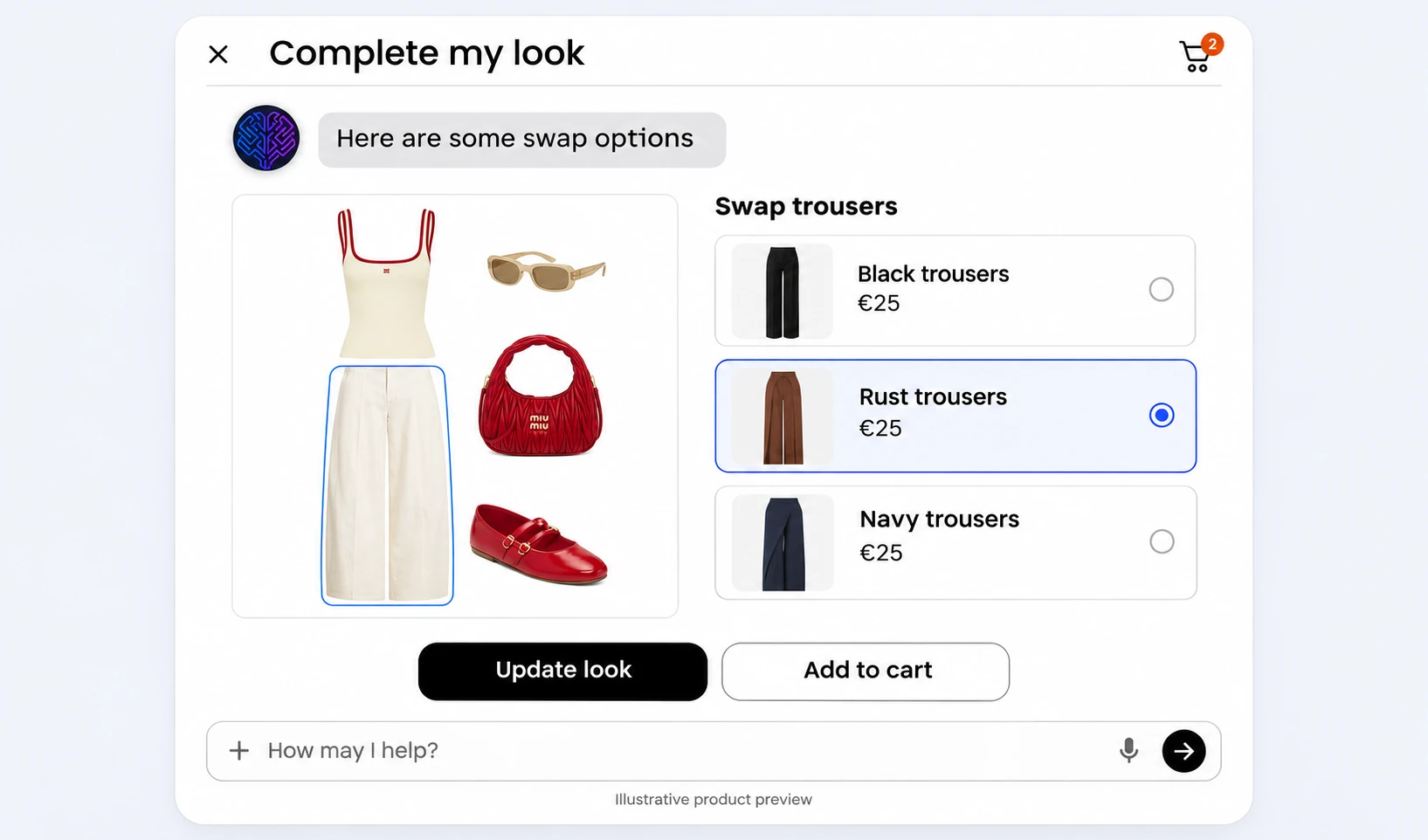
Complete My Look
Look completionAdd the right shoe, layer, or accessory while keeping silhouette, palette, and budget coherent.
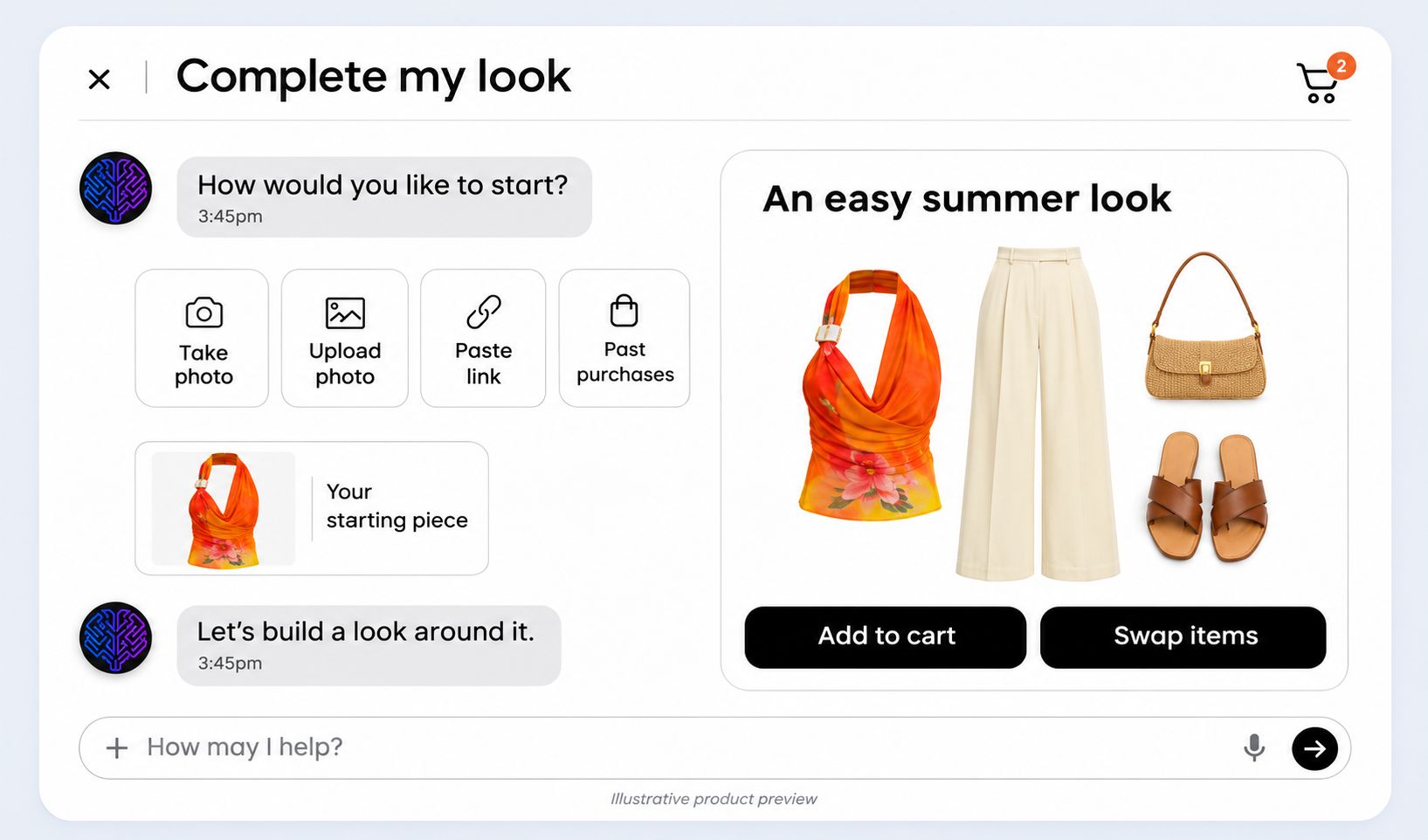 View preview: Complete My Look
-

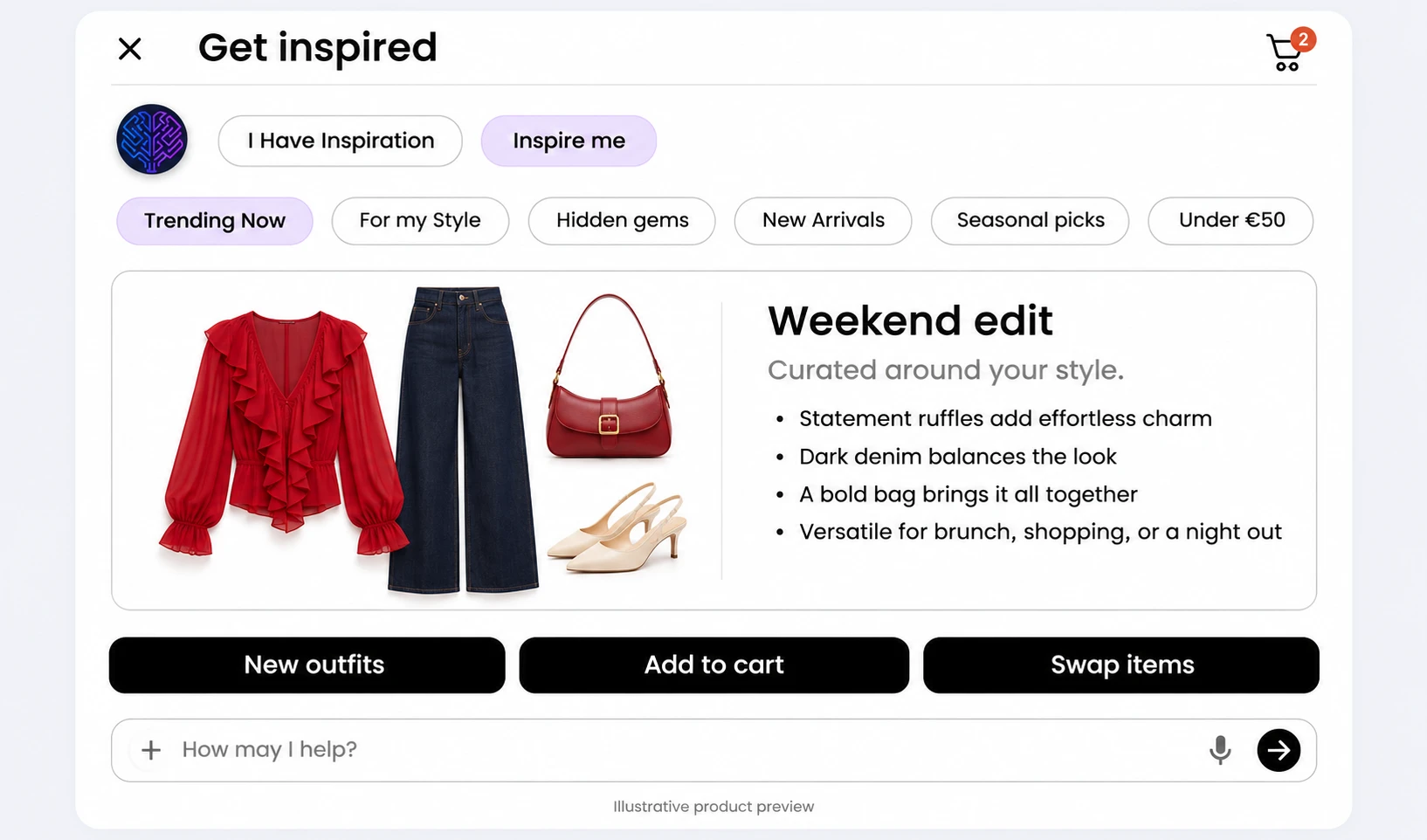
Get Inspired
Editorial inspirationSurface seasonal edits and editorial combinations drawn entirely from the live merchant catalogue.
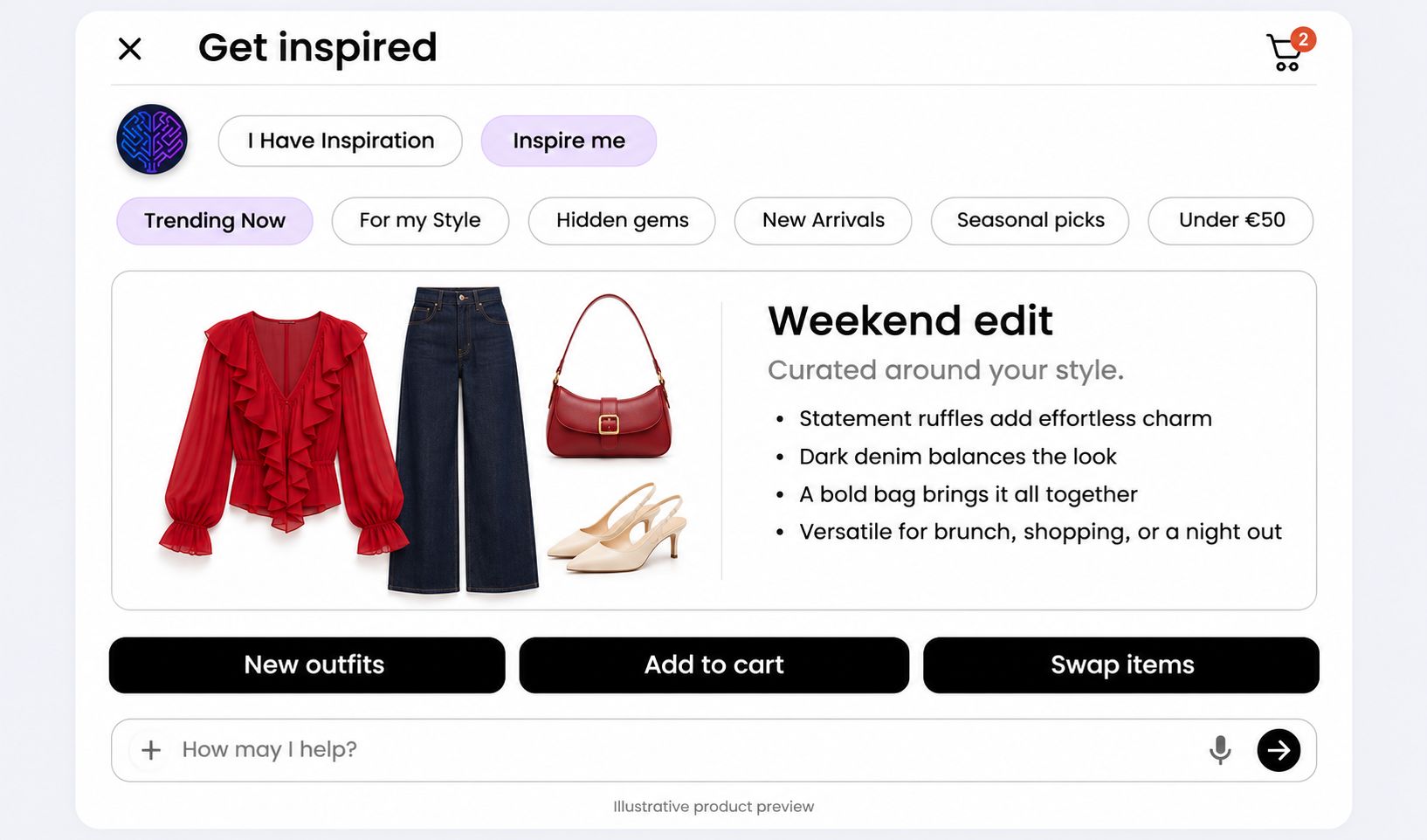 View preview: Get Inspired
-

Smart Swap
Catalogue-aware alternativesReplace a piece within a recommended look with a similar option based on stock, price, colour, size, or shopper preference.
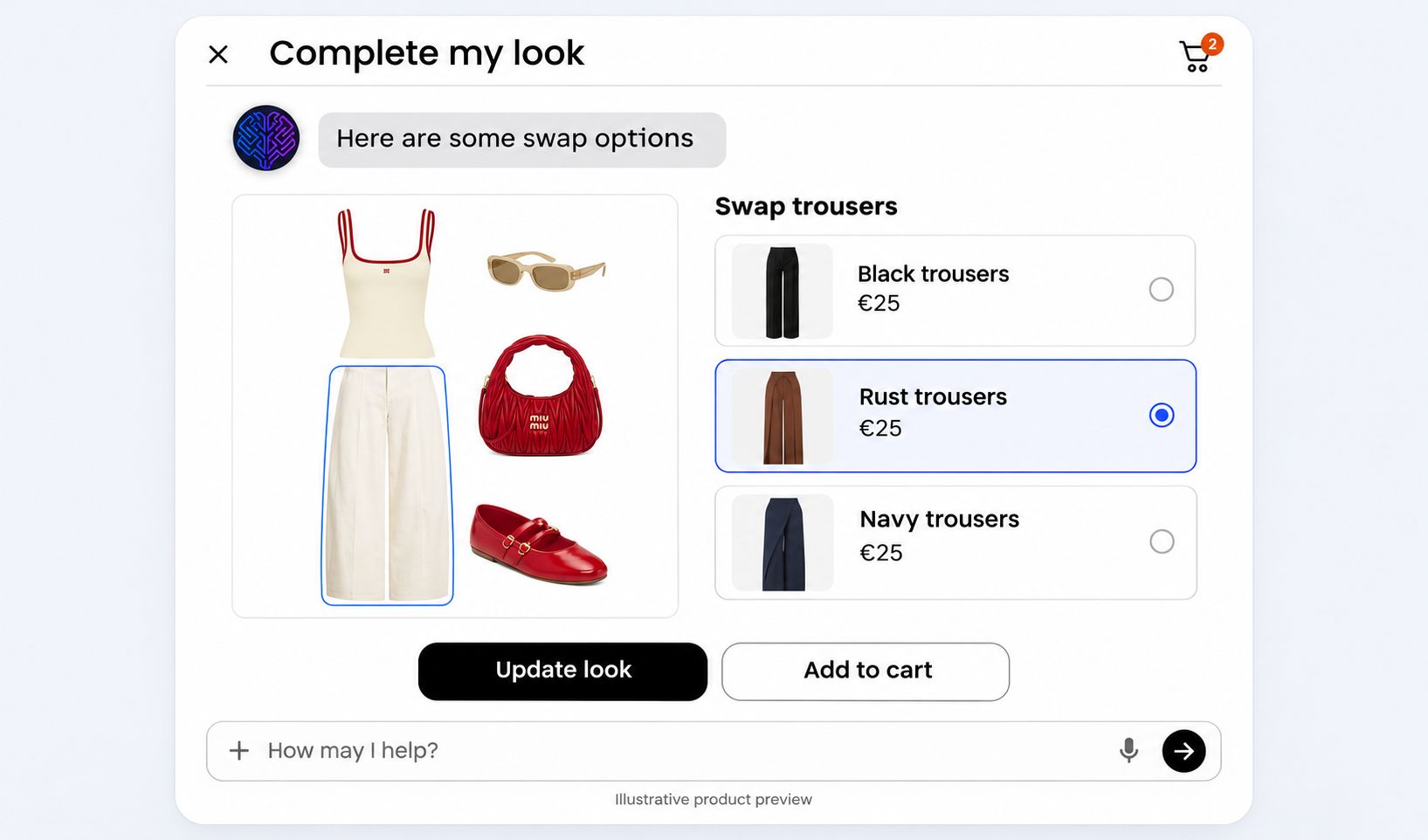 View preview: Smart Swap
-

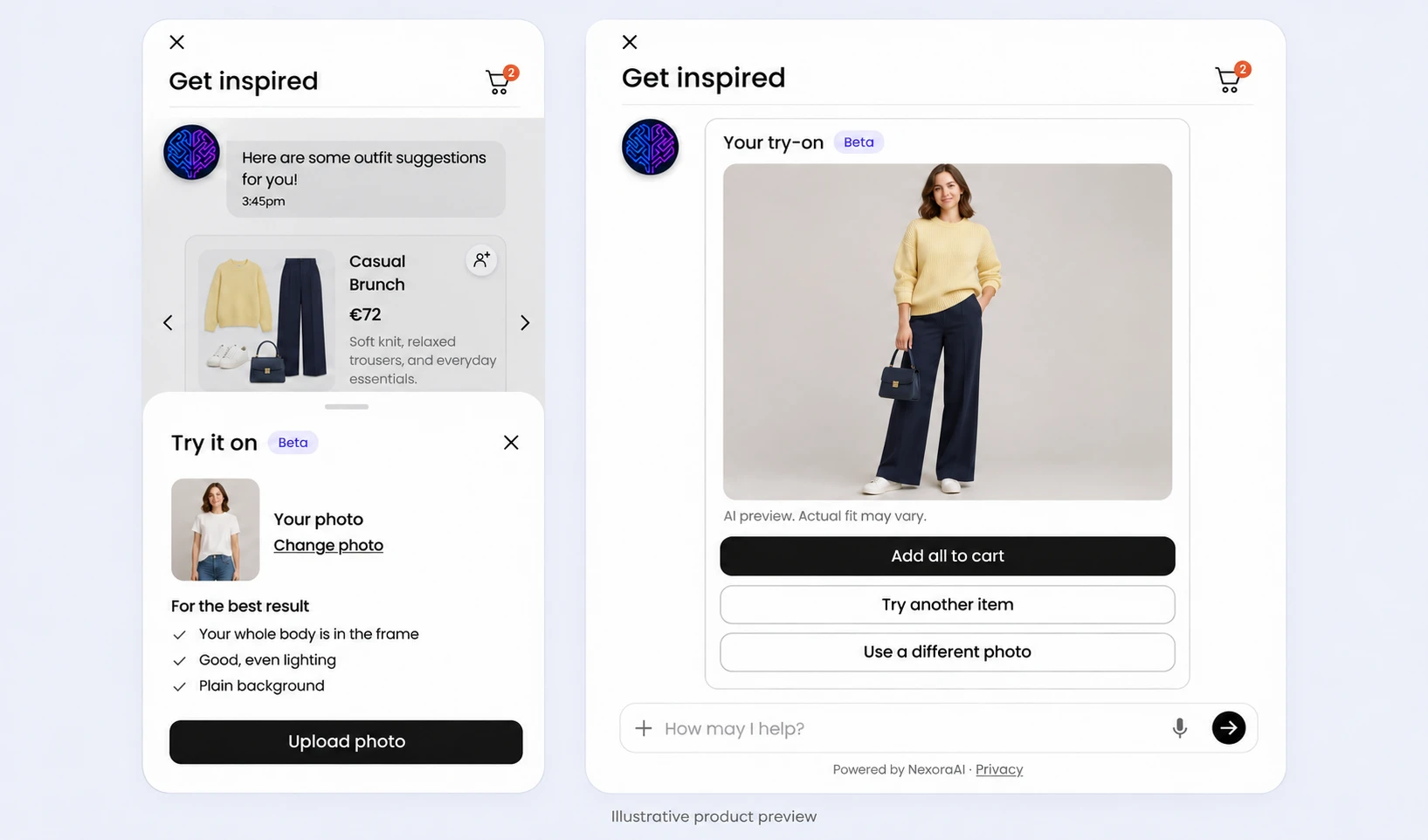
Virtual Try-On Beta
Photo previewIn beta: upload a photo to preview how a recommended outfit could look on you, right in the chat.
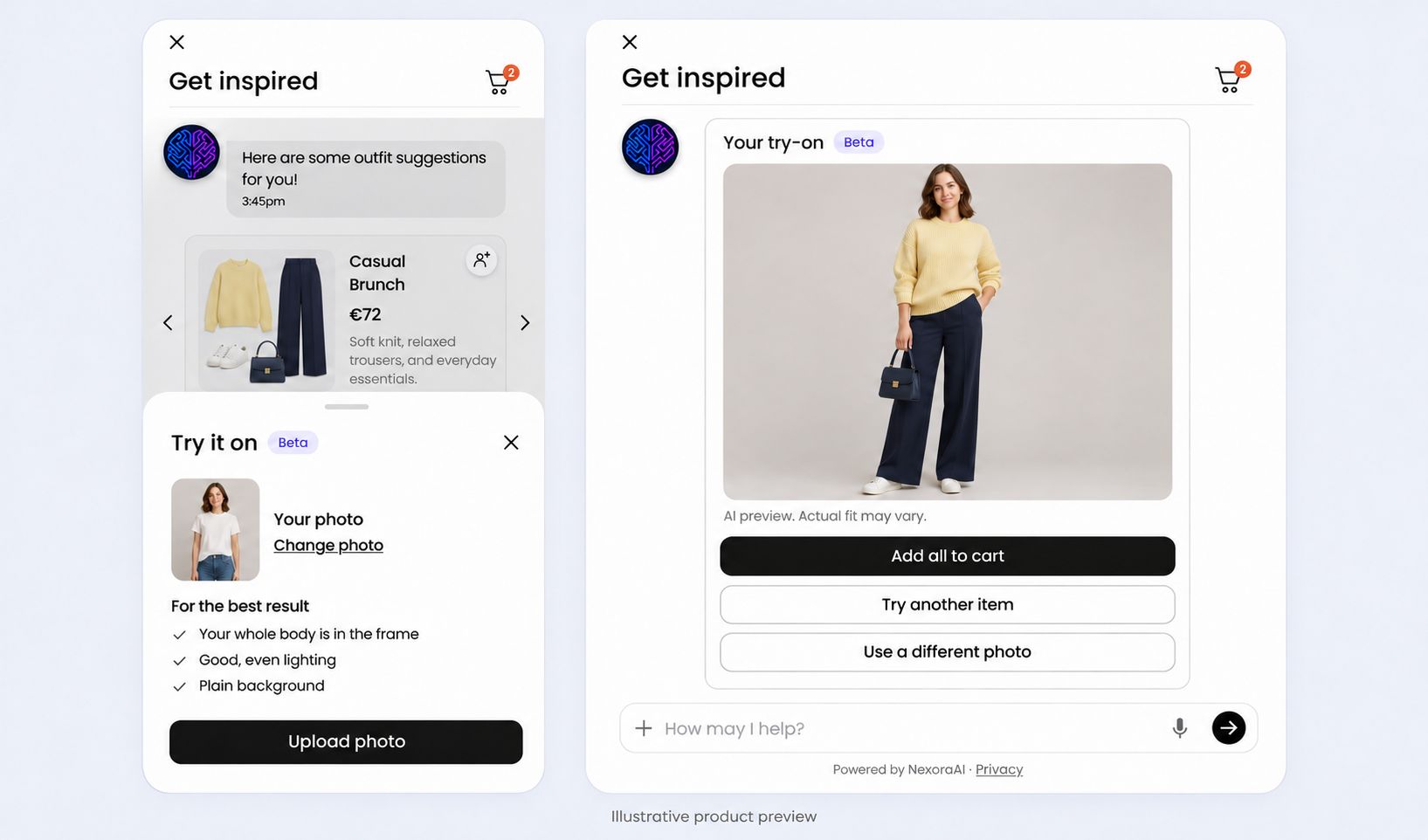 View preview: Virtual Try-On
-

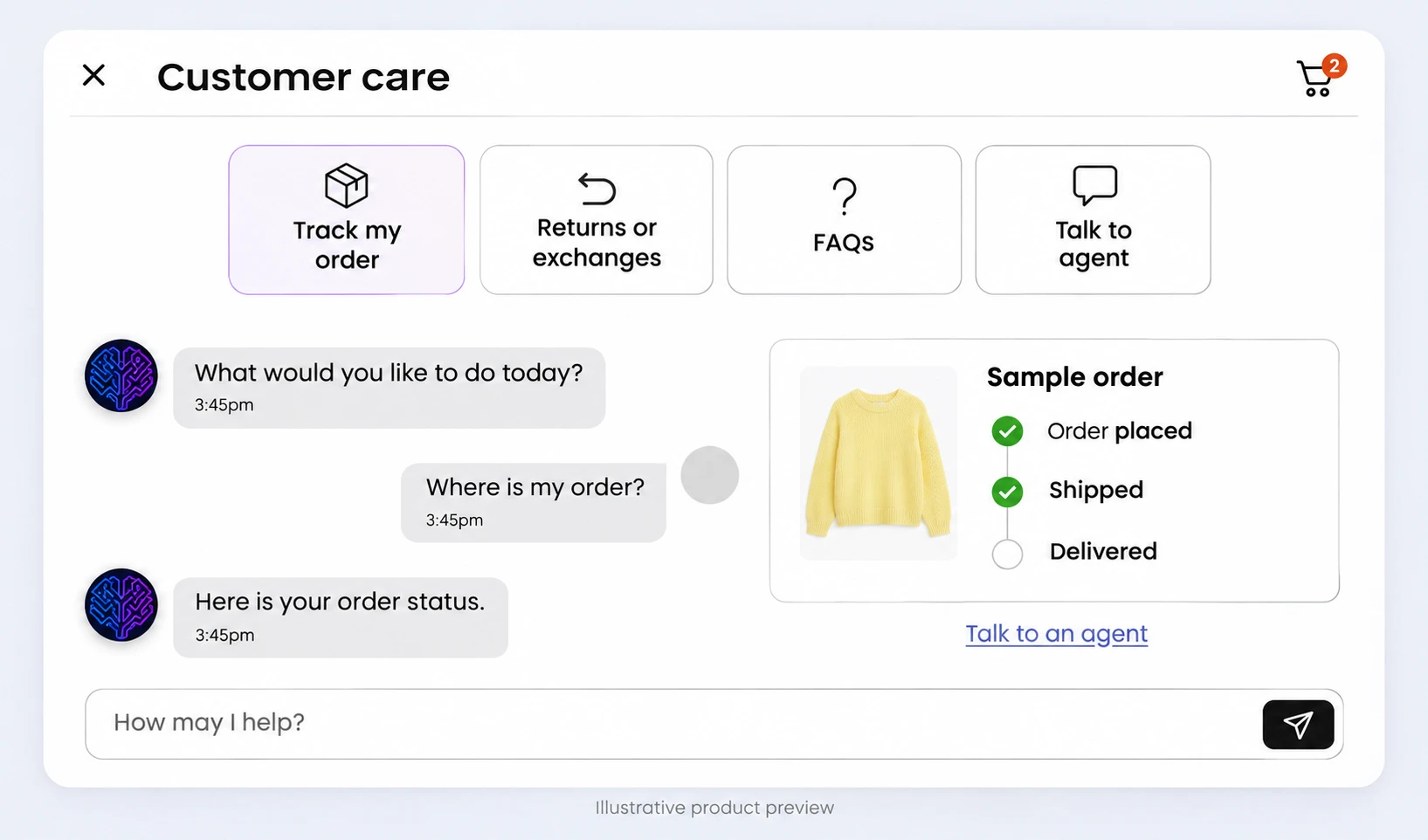
Customer Service
In-context supportTrack orders, start returns or exchanges, and find answers in the FAQs, with handoff to the store’s team where it is set up.
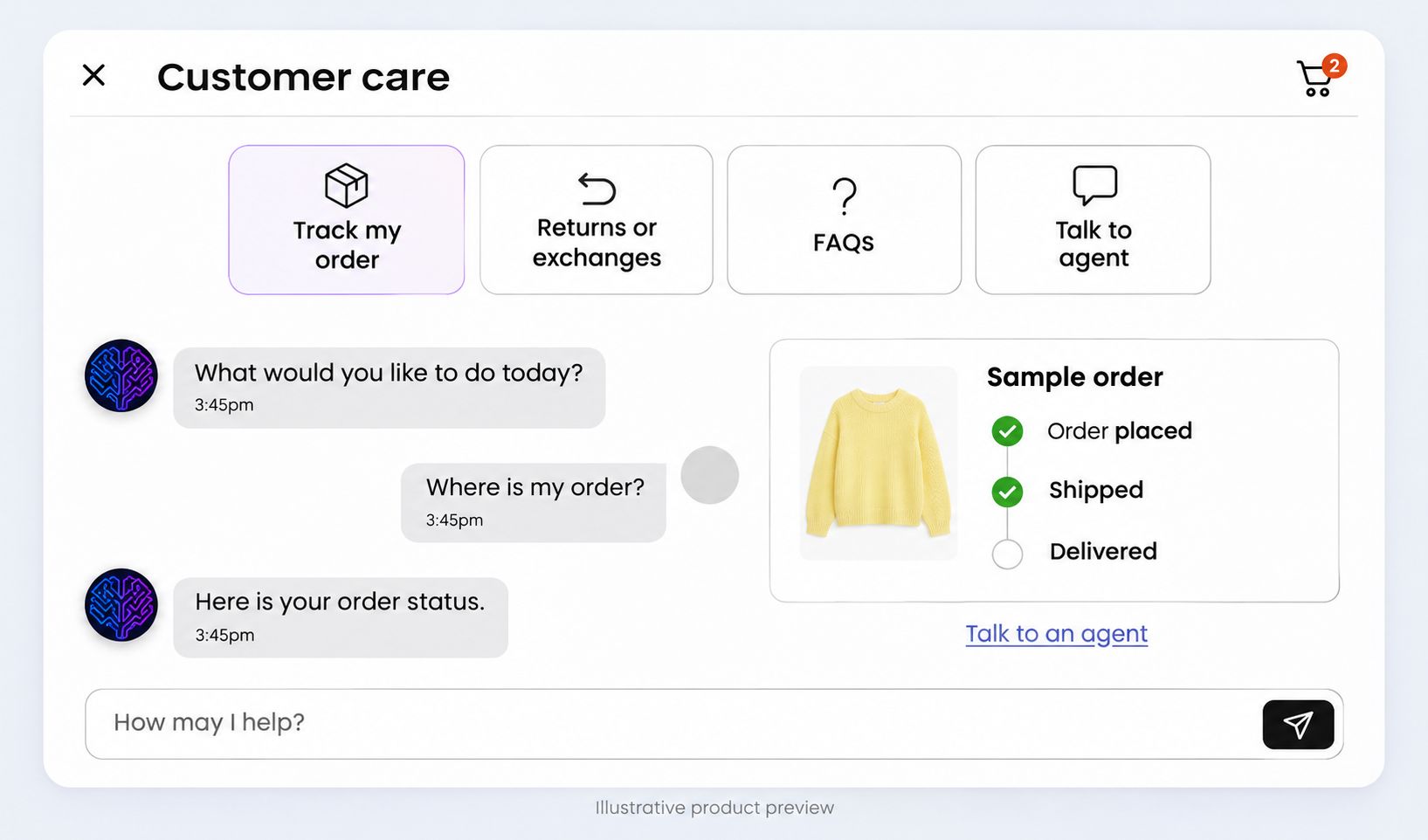 View preview: Customer Service
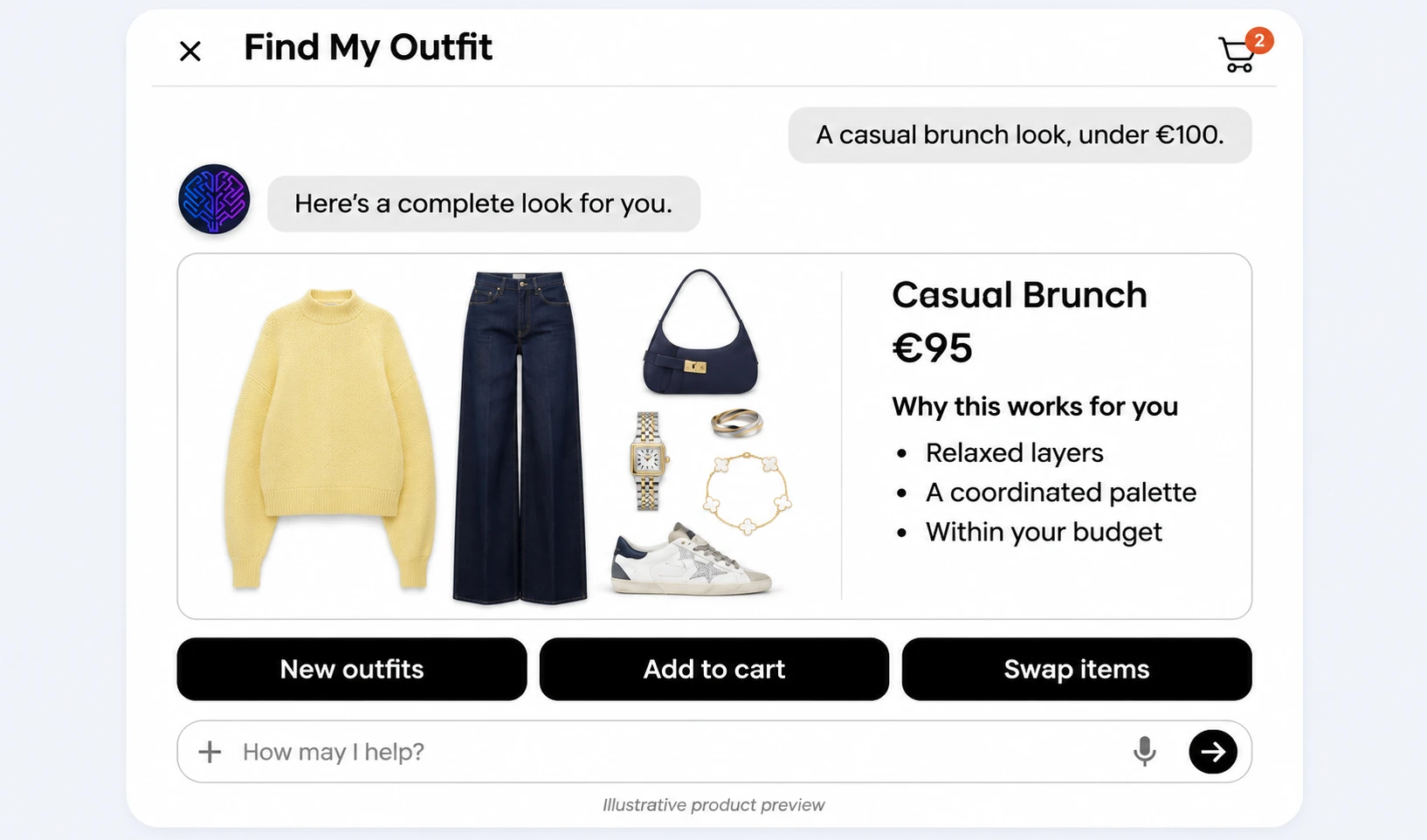 View preview
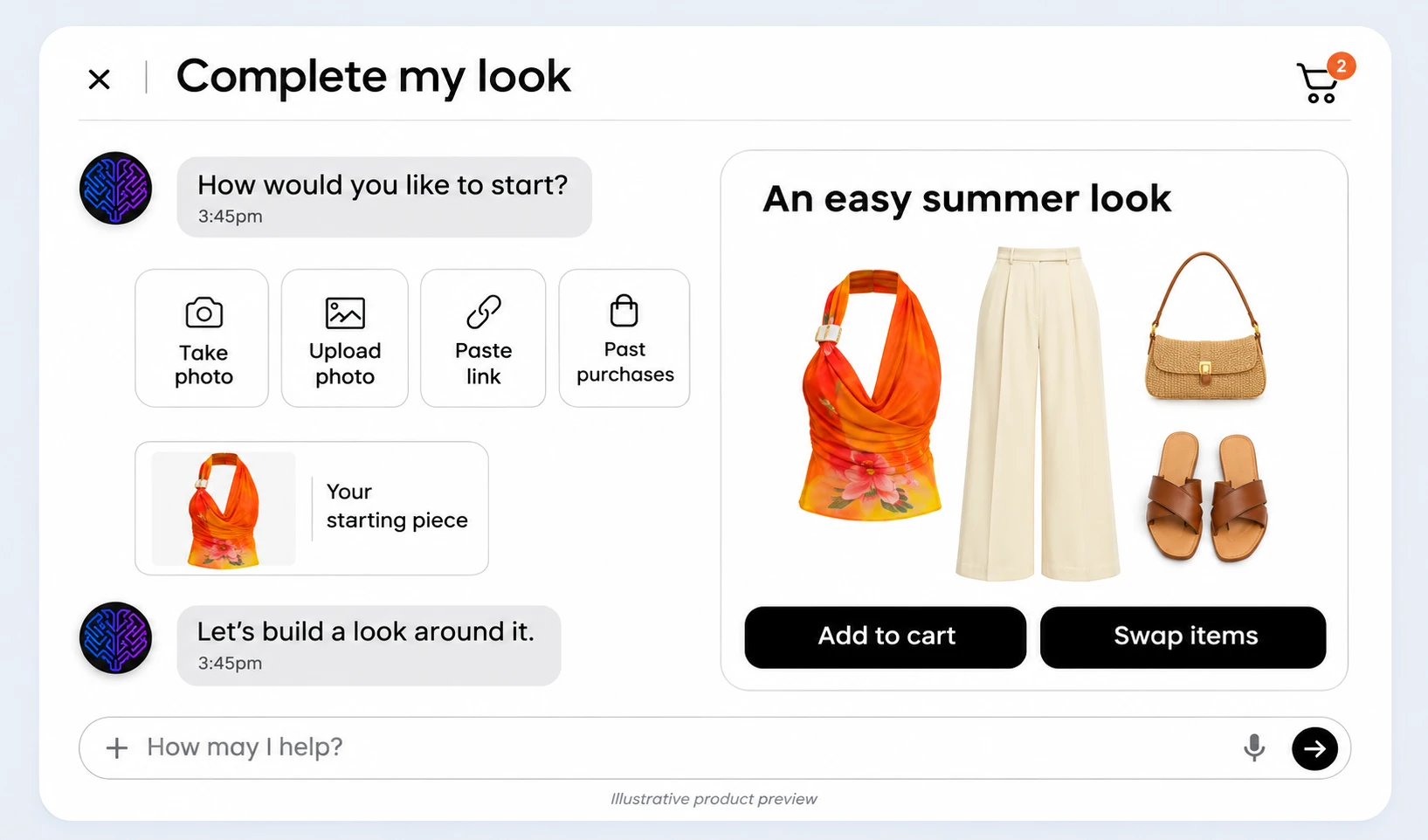 View preview
 View preview
 View preview
 View preview
 View preview
Dashboard features
6 features
Product previews shown for illustration.
Your store at a glance
See conversations, product engagement, catalog health, and AI readiness in one place.
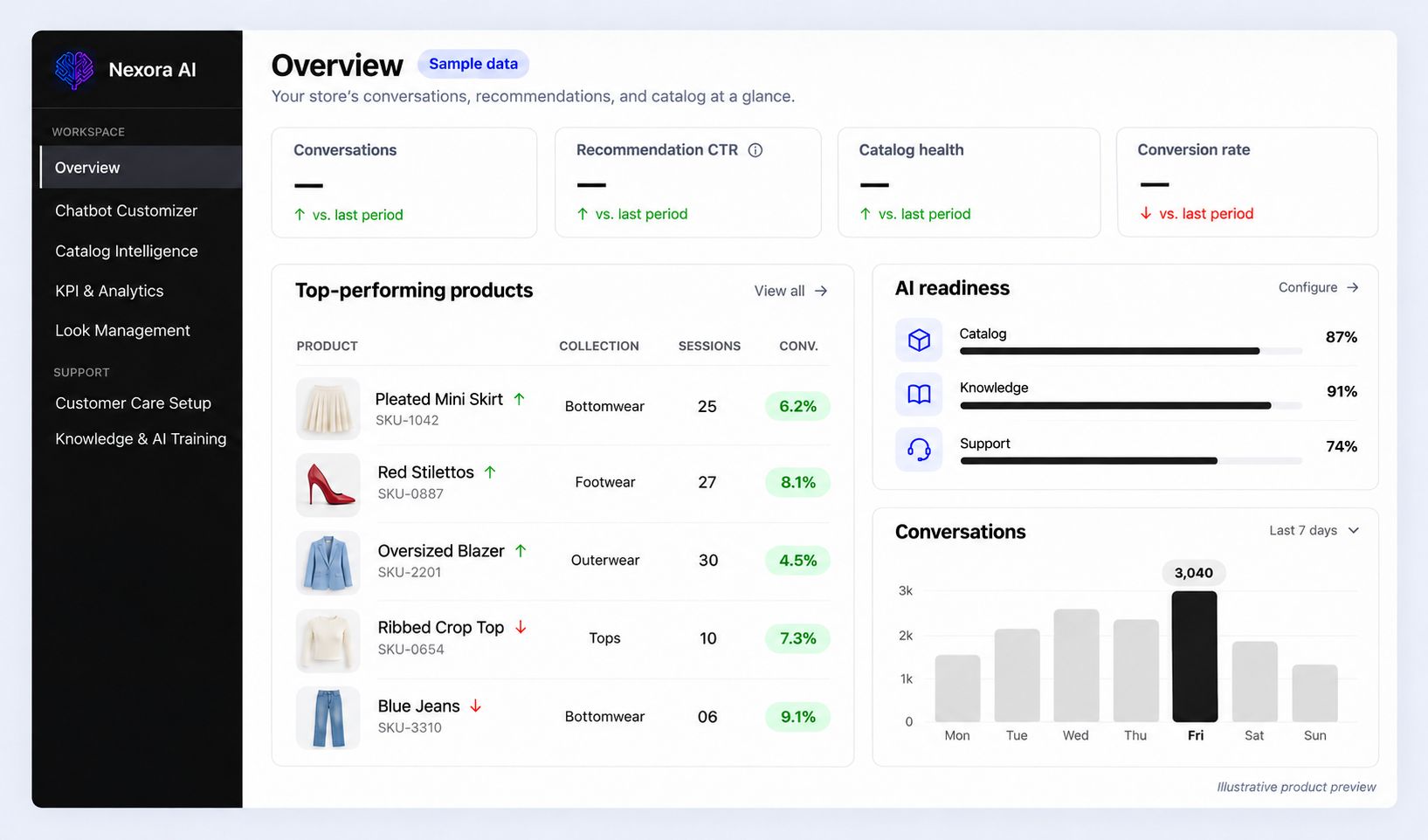
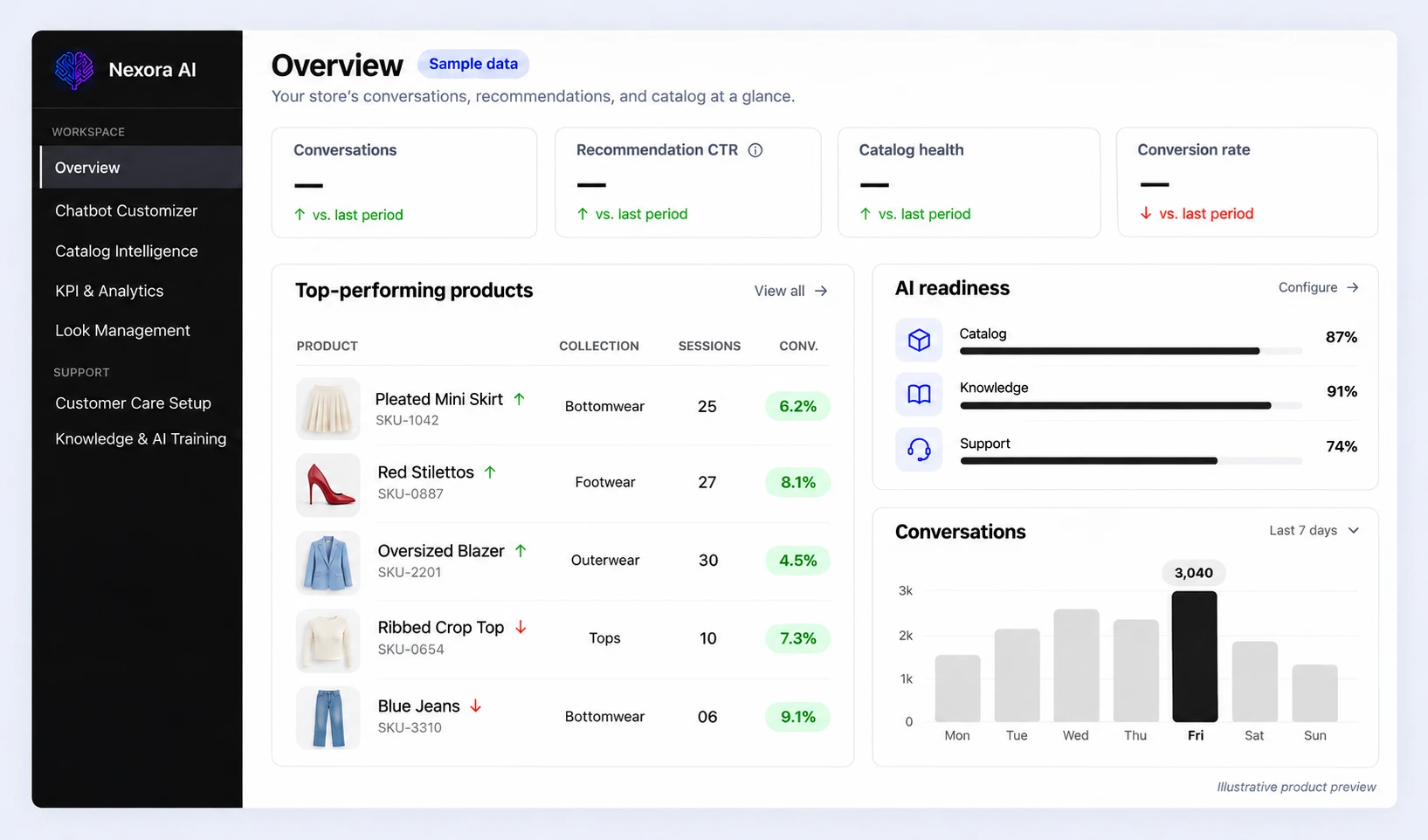 View preview: Your store at a glance
-
 Experience
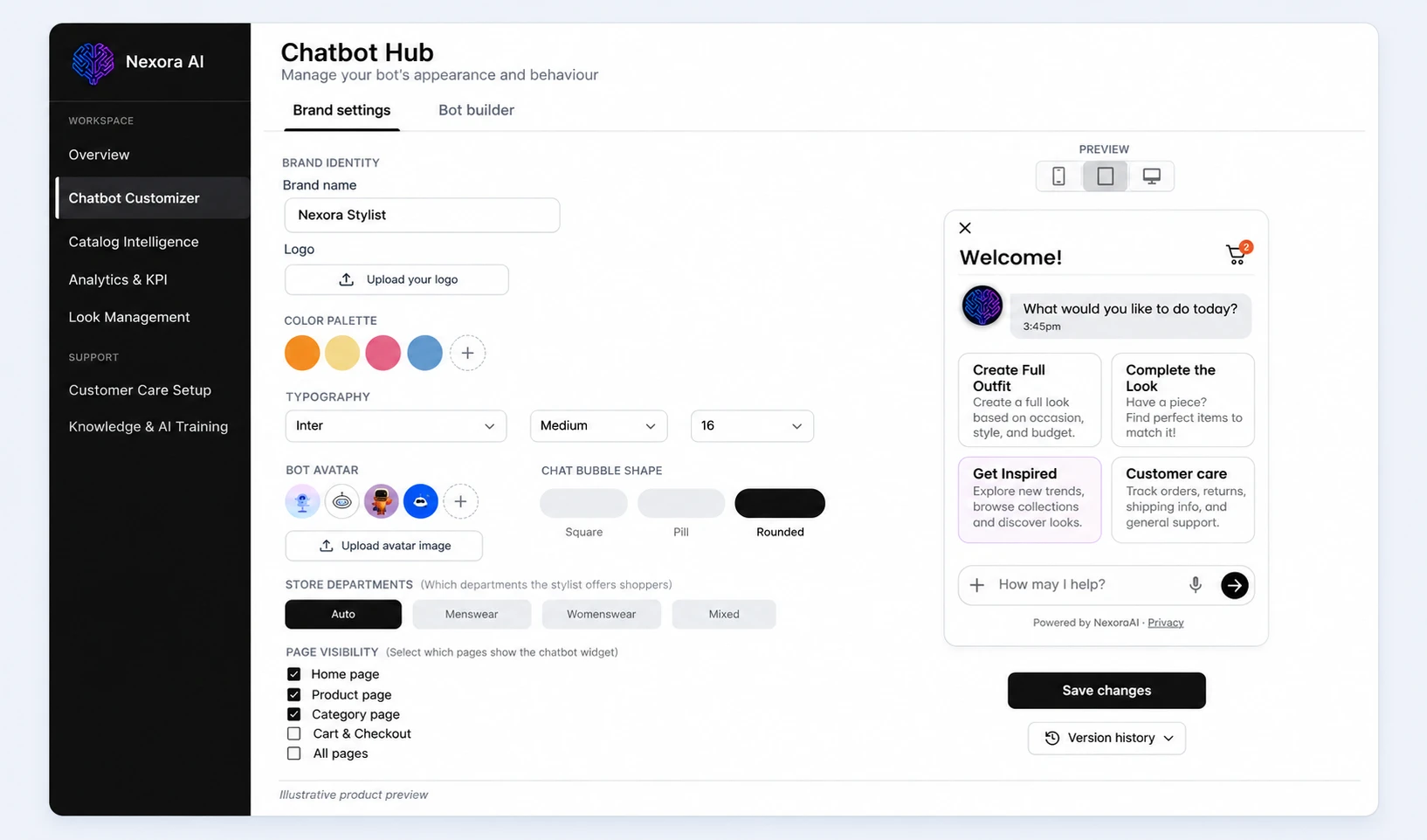
Chatbot Customizer
Set the widget’s name, colours, typography, and avatar, choose where it appears, and preview it before saving.
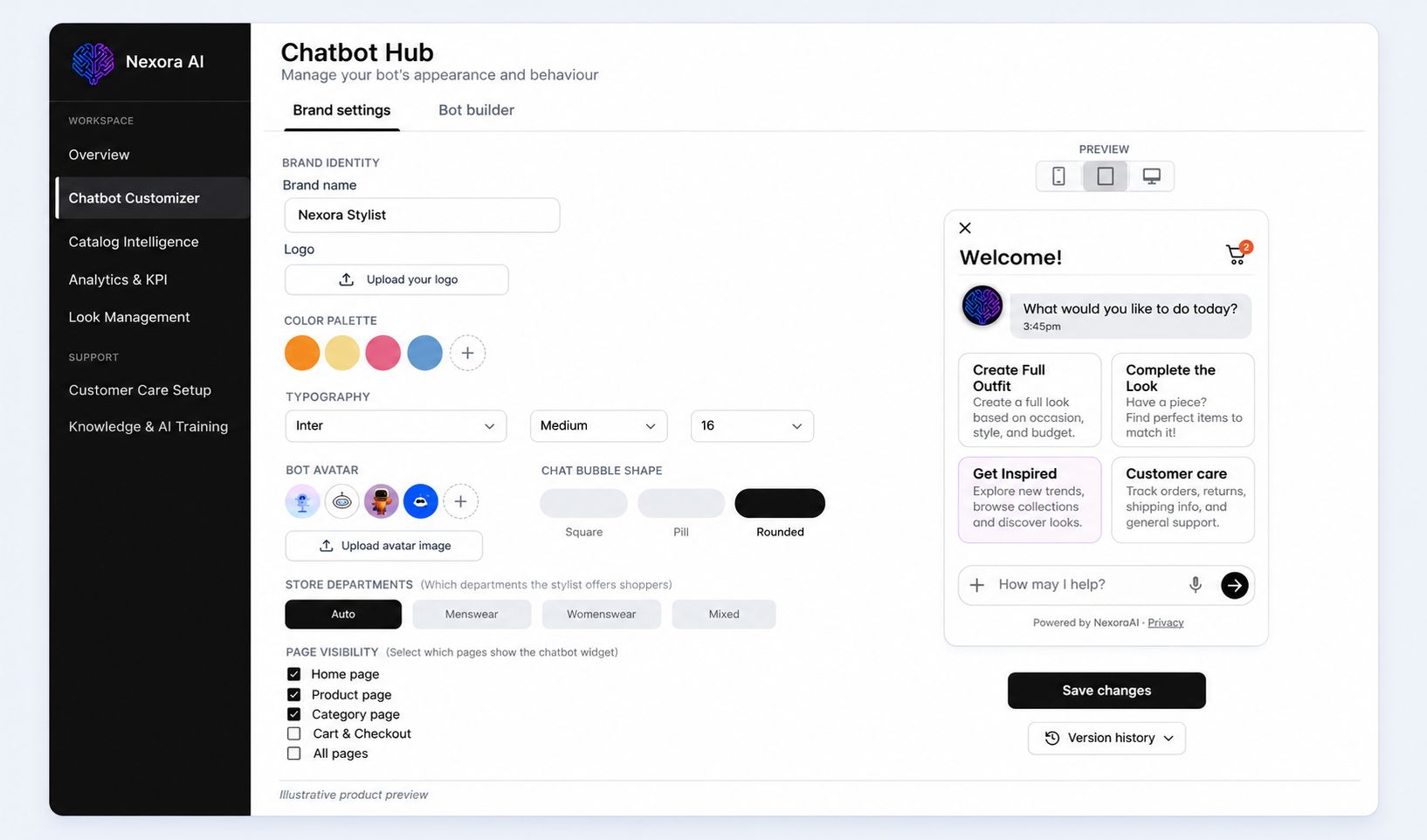 View preview: Chatbot Customizer
-
 Catalogue
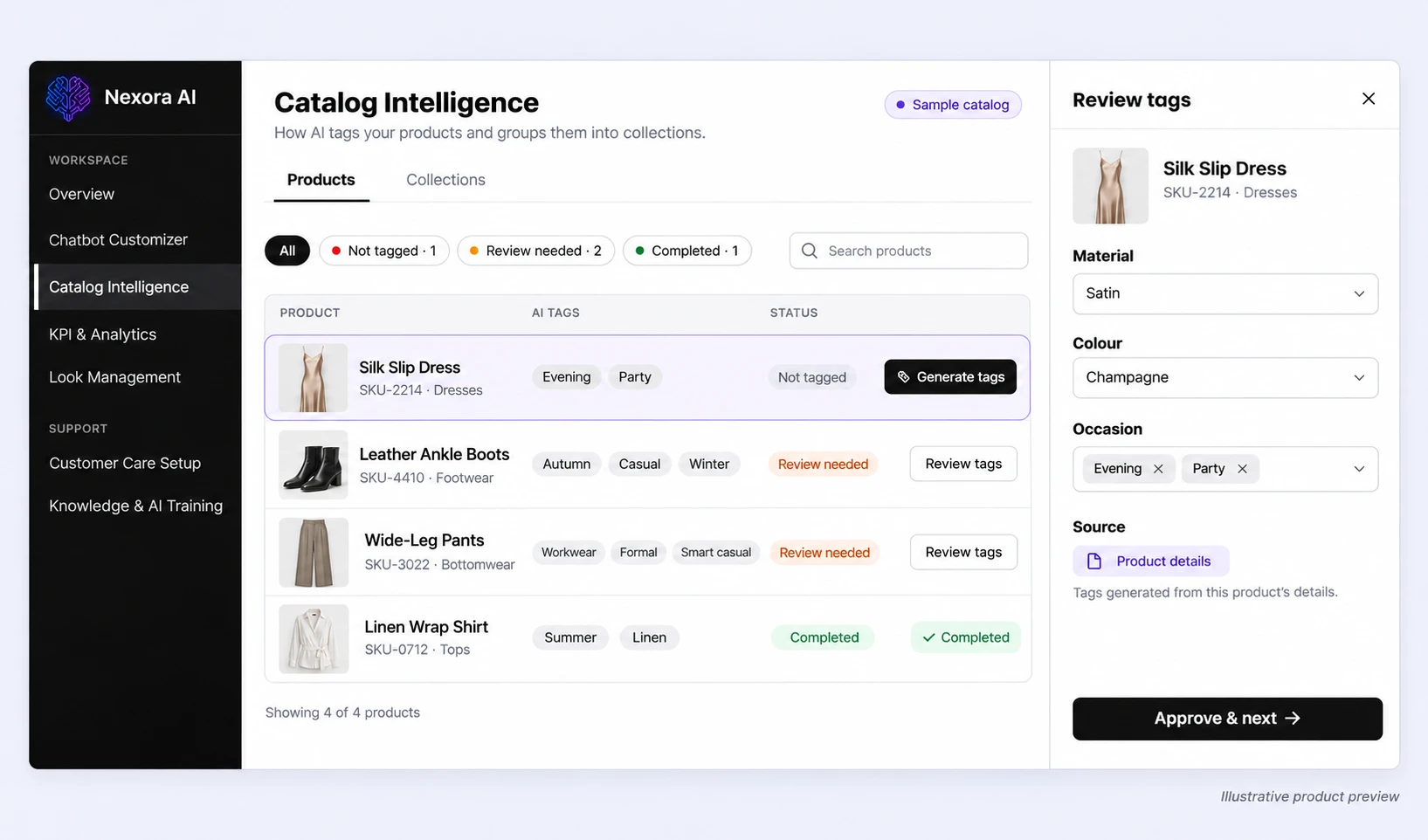
Catalog Intelligence
Keep products and variants aligned with Shopify, review AI-generated fashion tags, and draft brand-aware product descriptions.
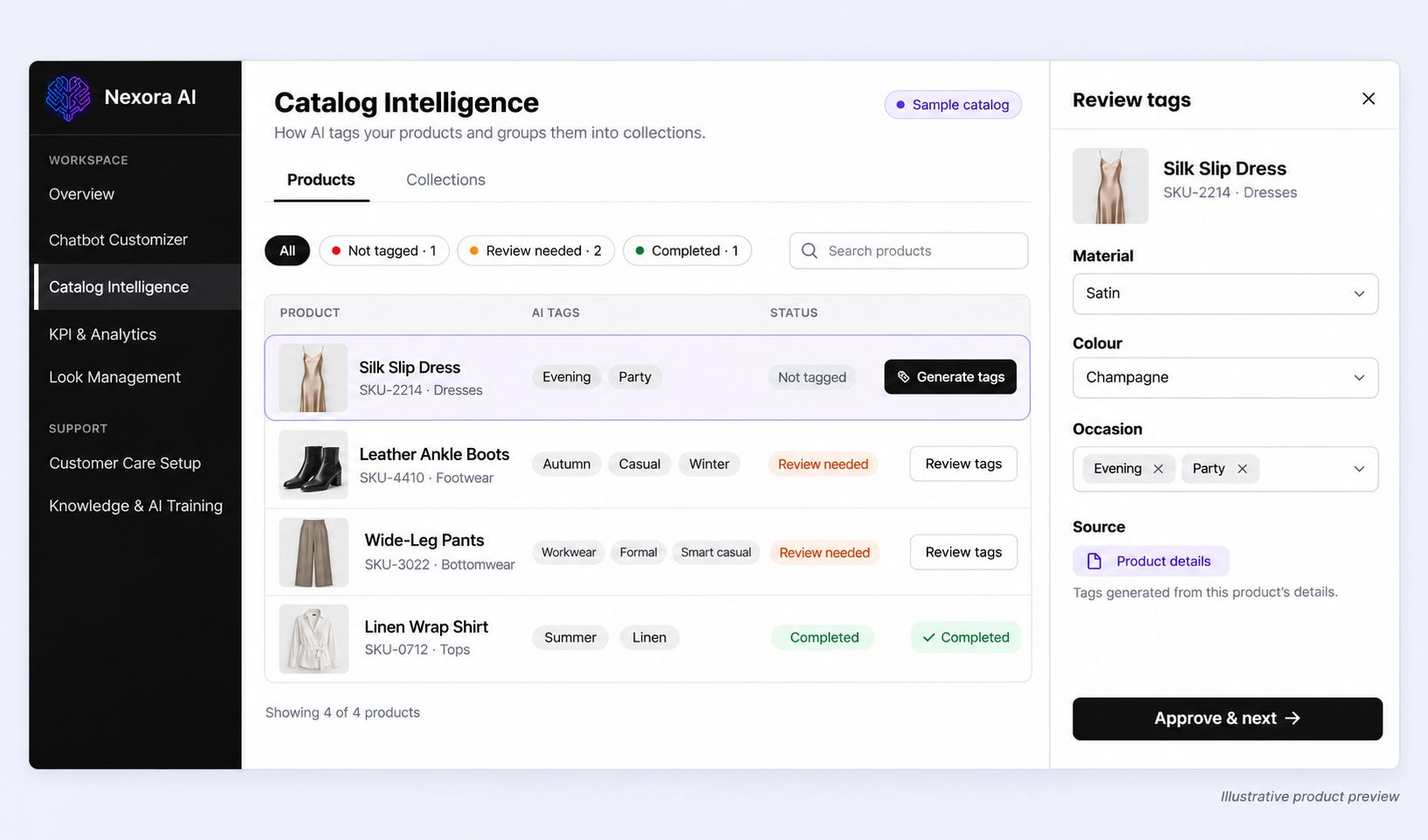 View preview: Catalog Intelligence
-
 Insights
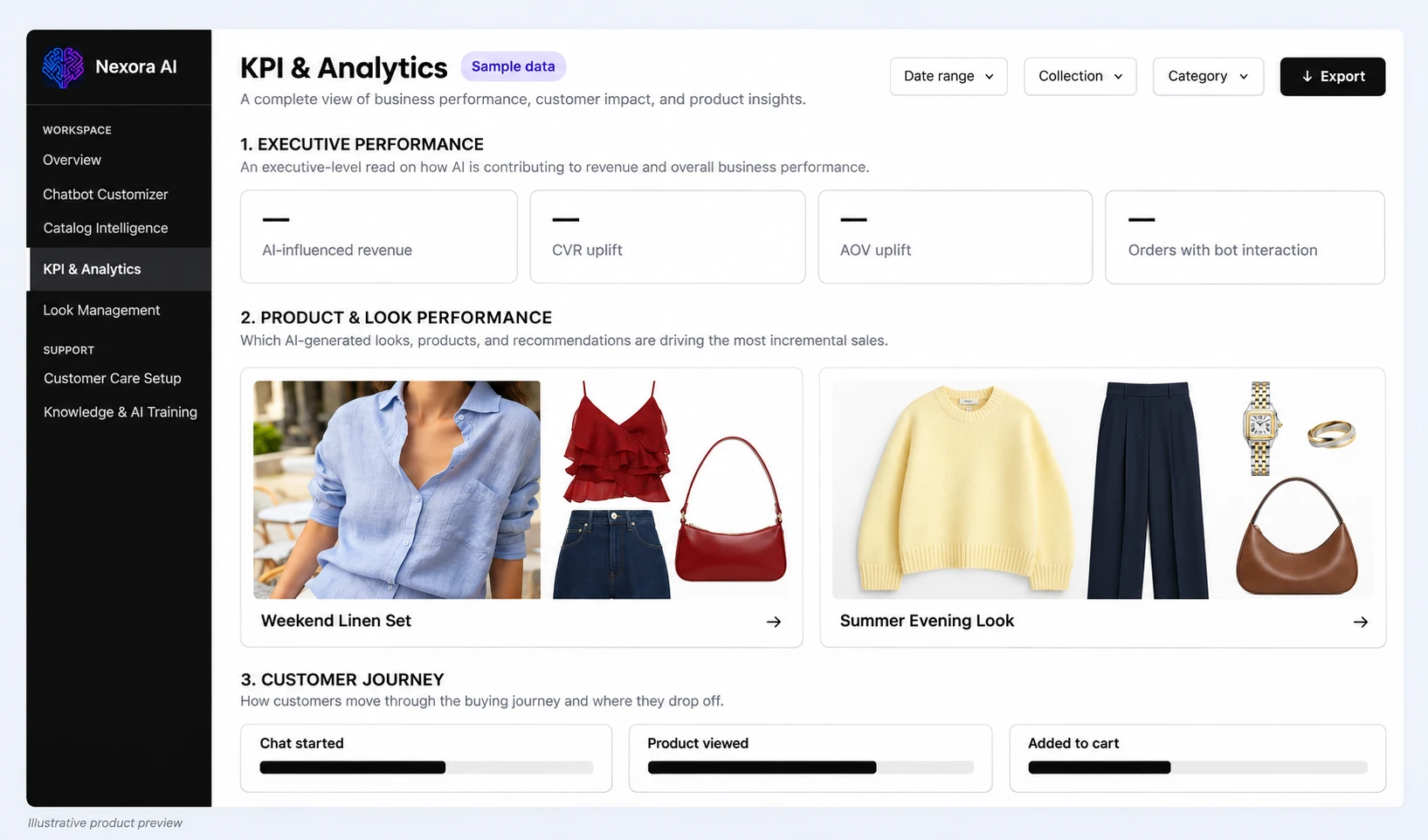
KPI & Analytics
See how conversations, recommended looks, and products perform across the journey from first chat to cart.
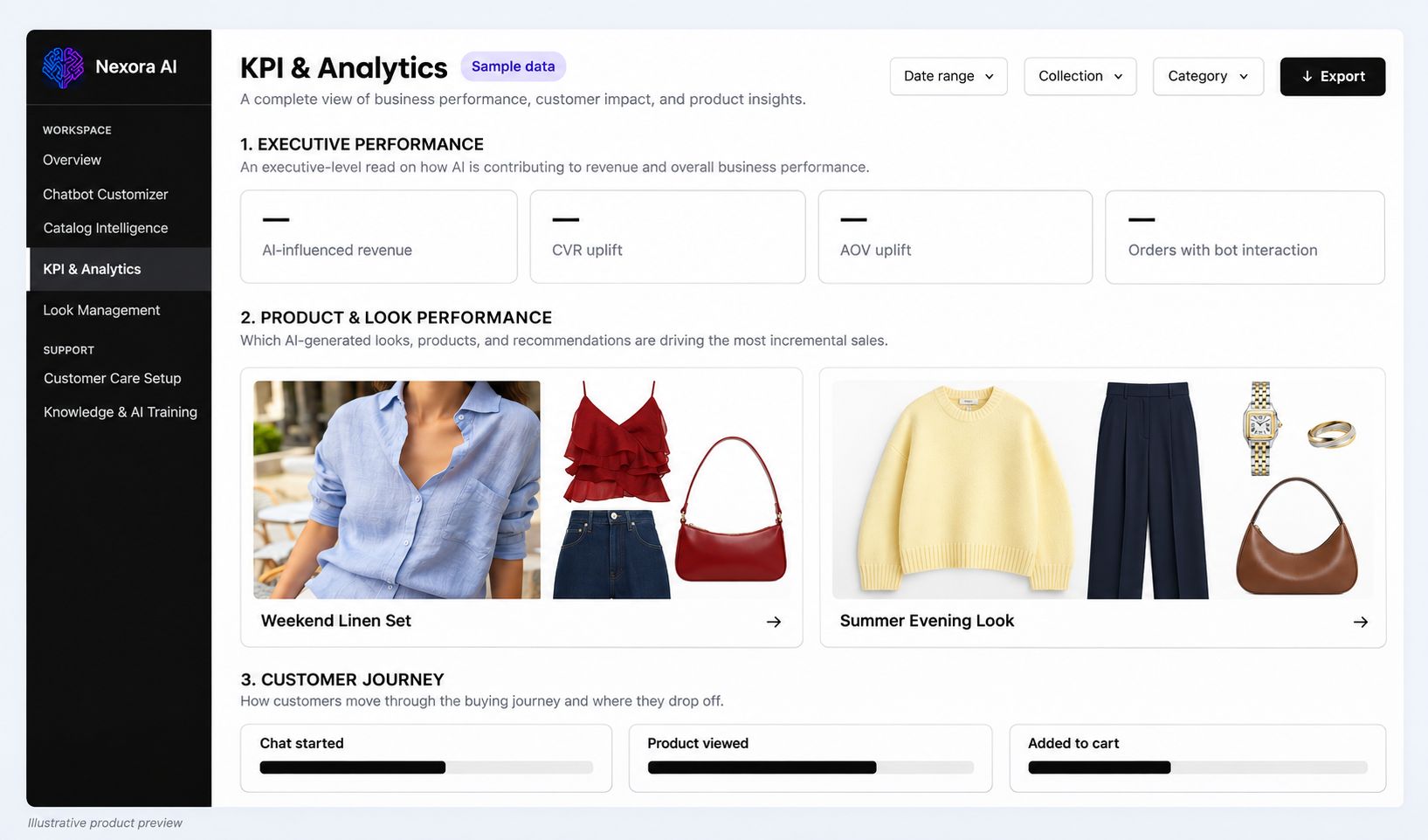 View preview: KPI & Analytics
-
 Merchandising
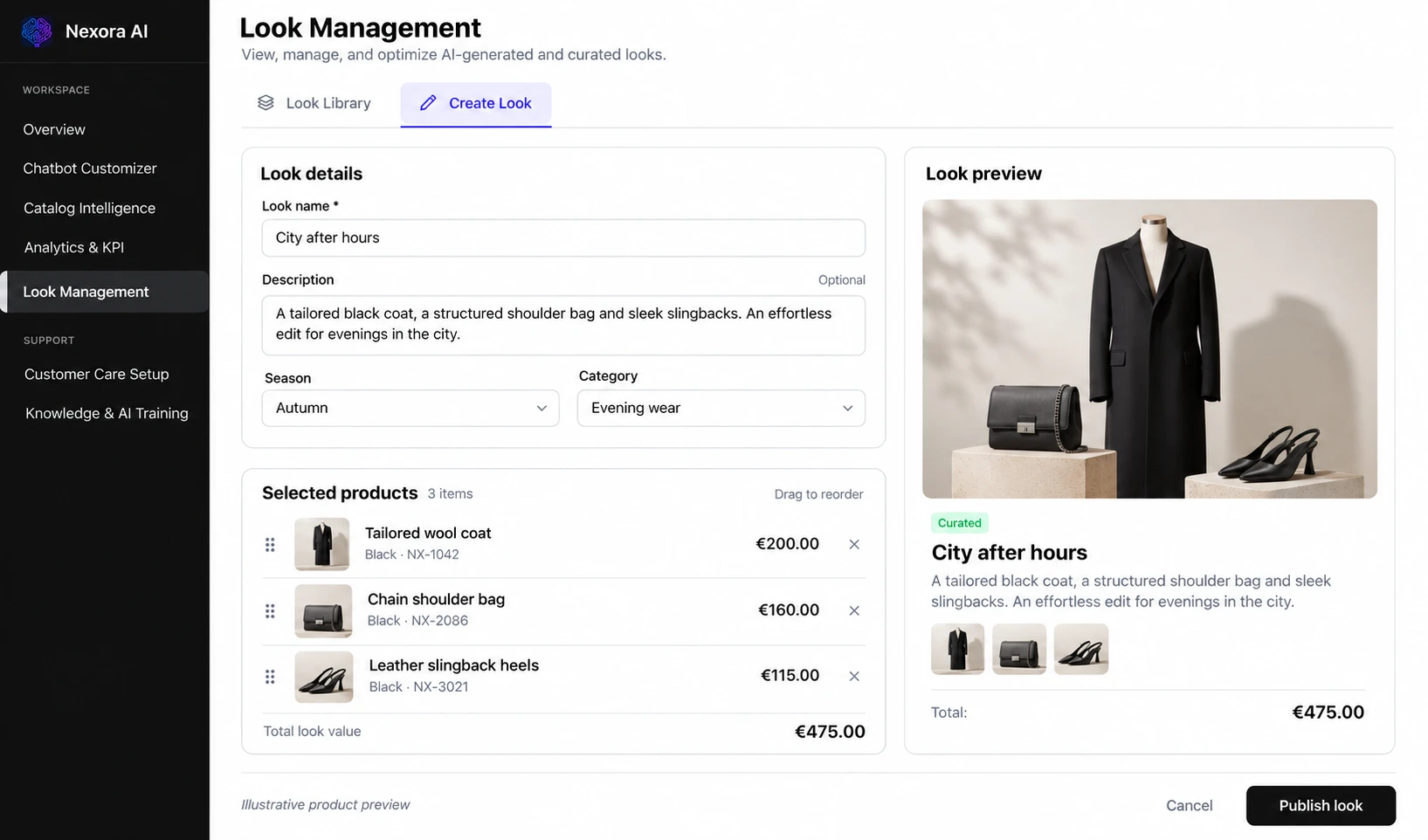
Look Management
Curate shoppable looks, set season and category, order the products, and preview each look before publishing it.
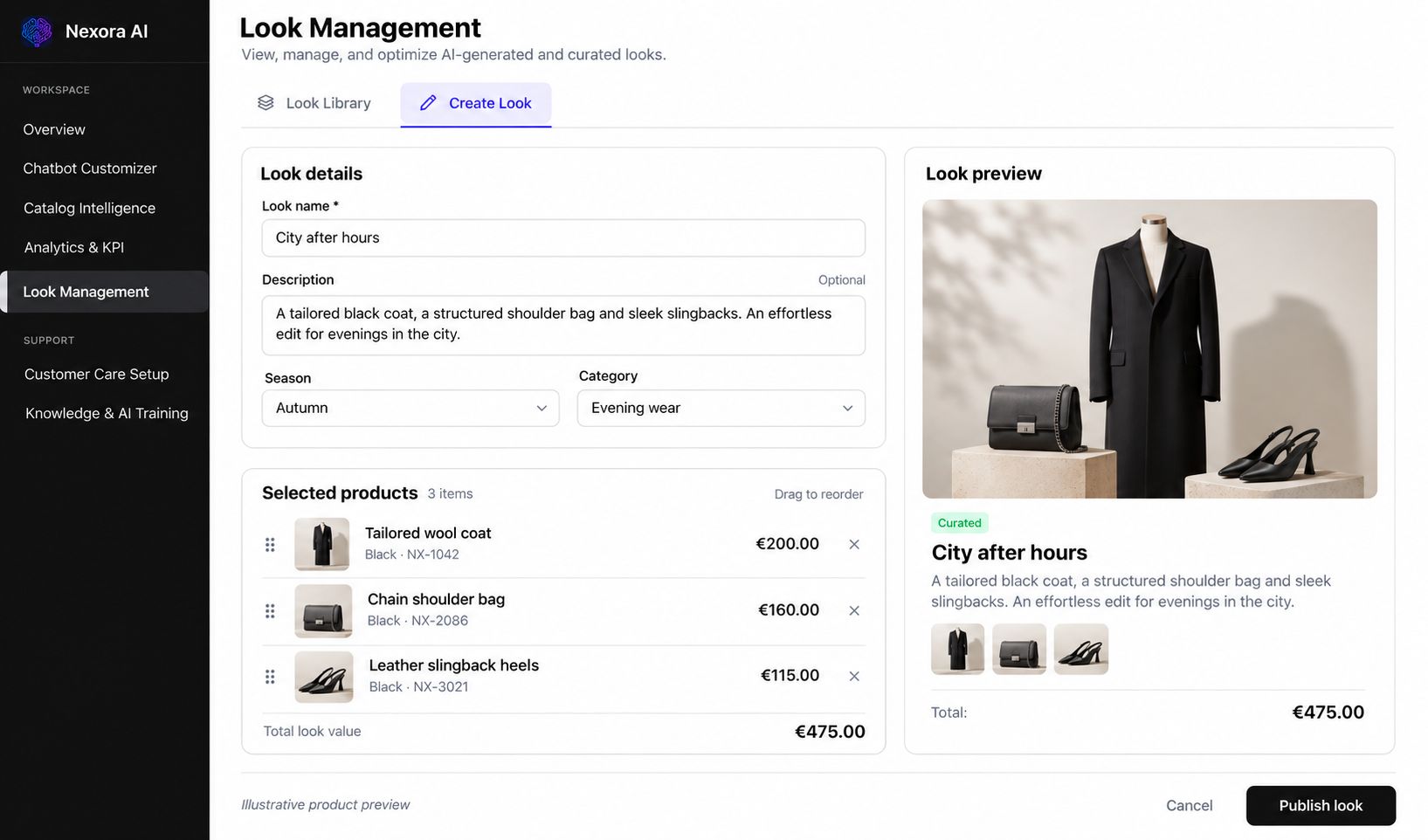 View preview: Look Management
-
 Support
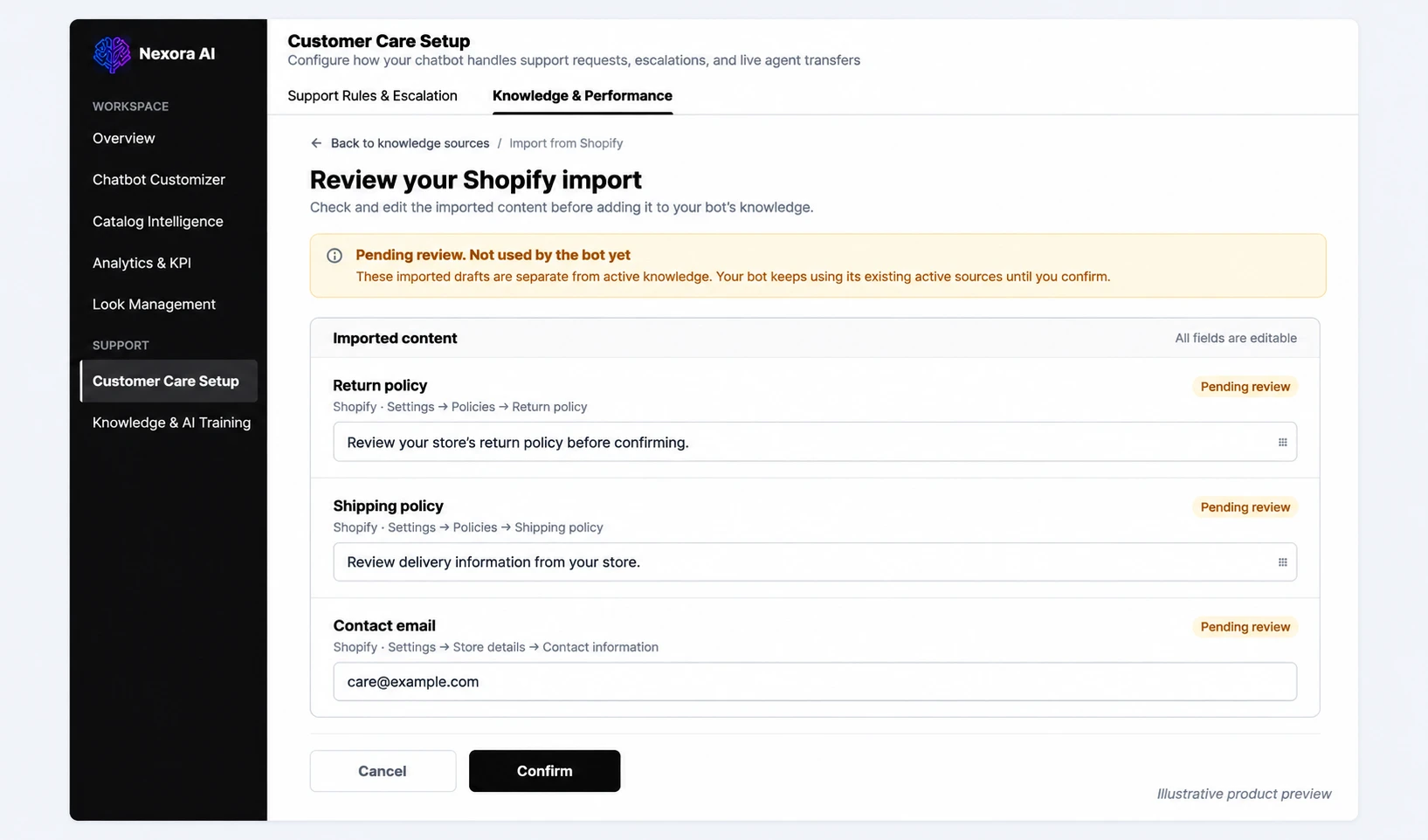
Customer Care Setup
Choose which support topics the assistant handles, set working hours and handoff to your team, and import your store policies.
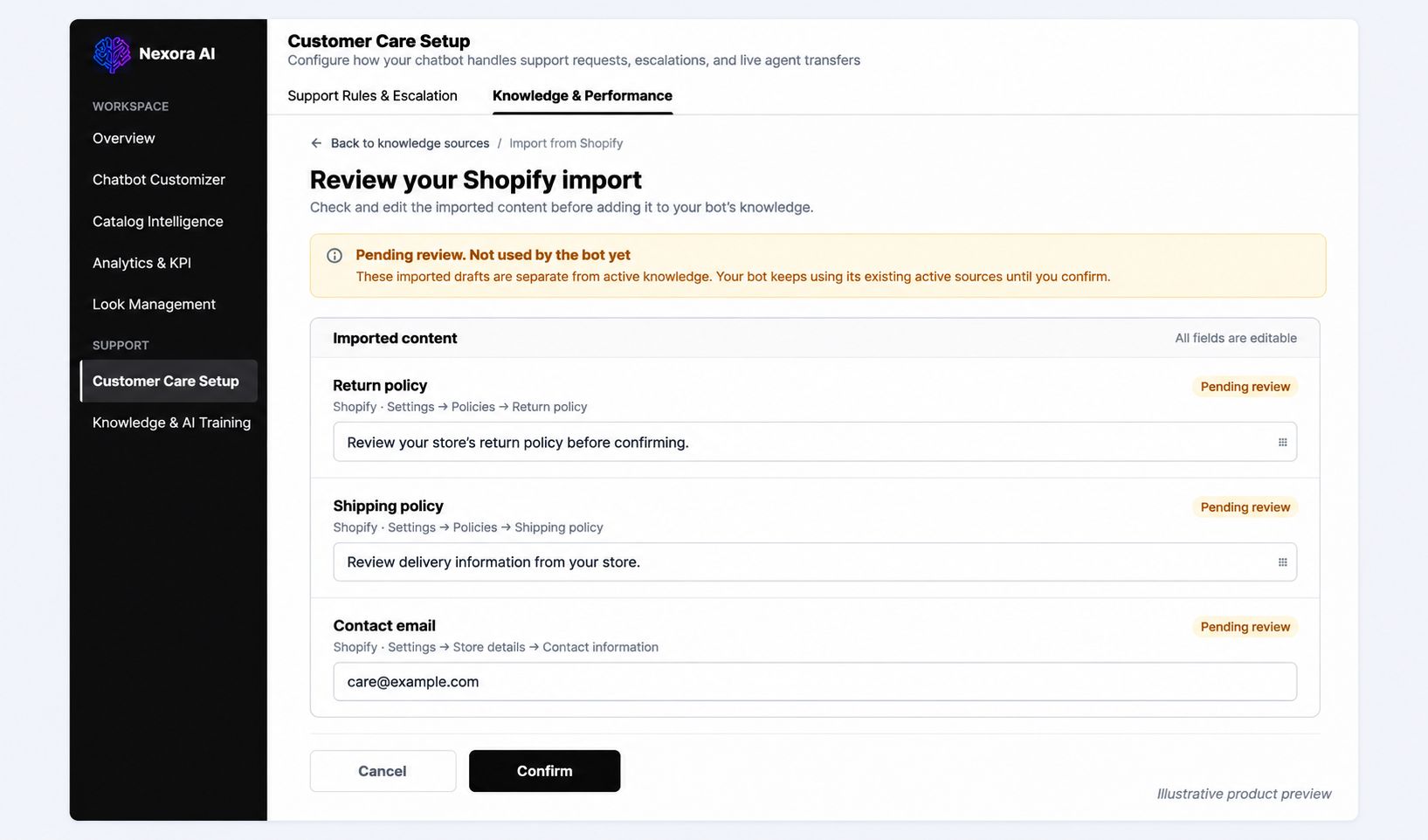 View preview: Customer Care Setup
-
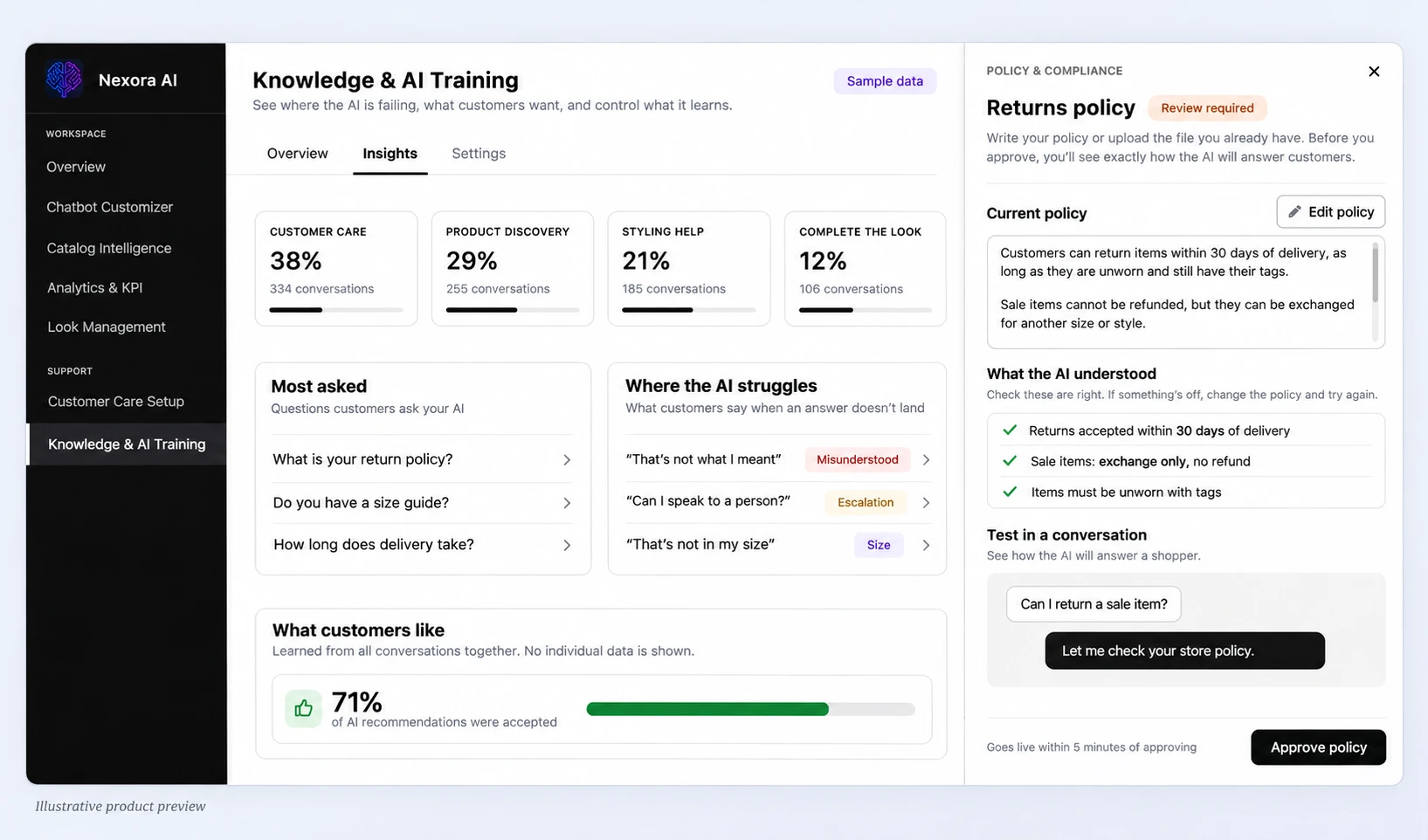
 Knowledge
 & AI Training
Add the store knowledge the assistant answers from, follow conversation activity, and preview how policy questions are answered.
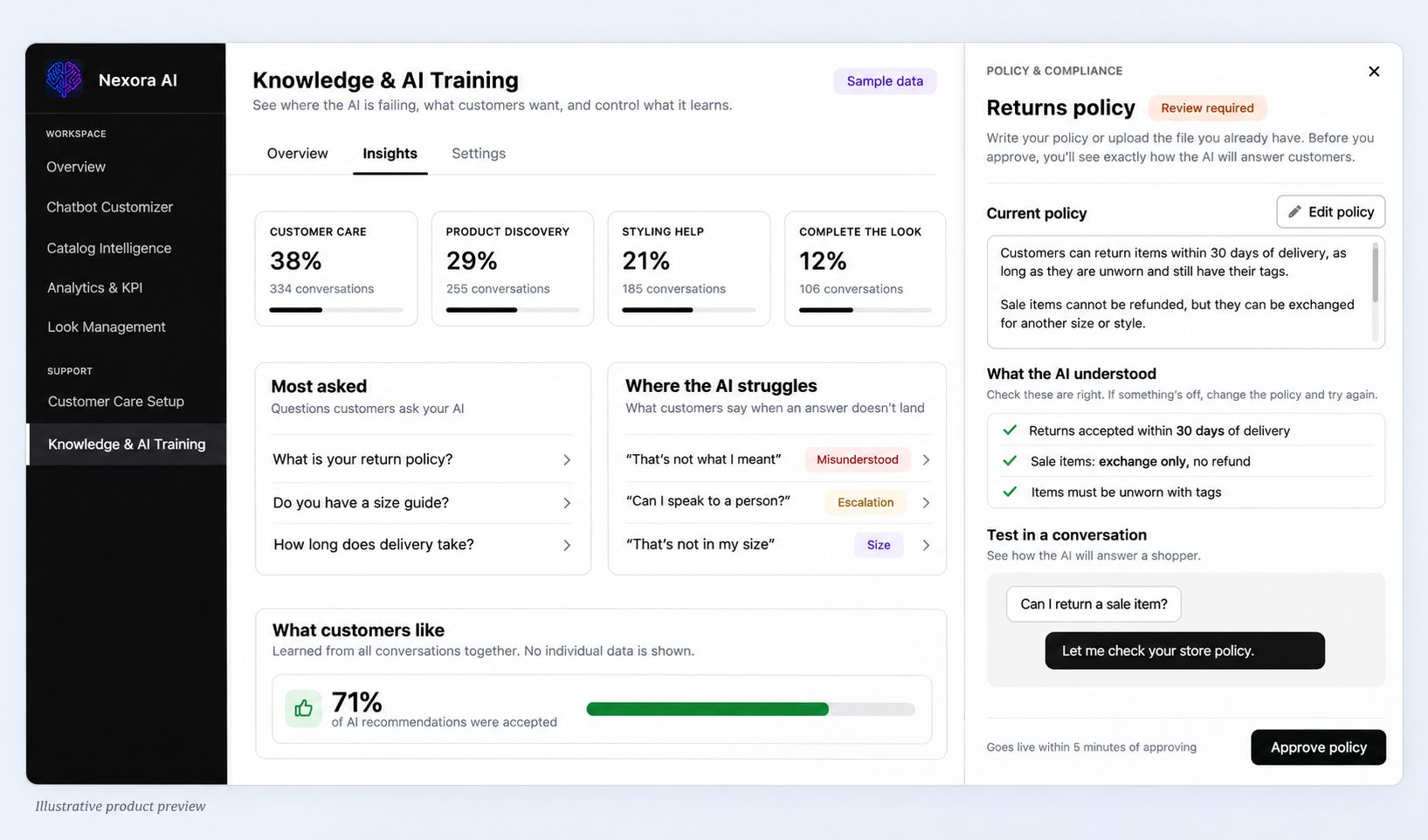 View preview: Knowledge & AI Training
 View preview
 View preview
 View preview
 View preview
 View preview
 View preview